Fast viewer
Tabs, thumbnails, outline, search, night mode and split view to compare documents.
BlackSuite
A free and open PDF viewer and editor that works offline.
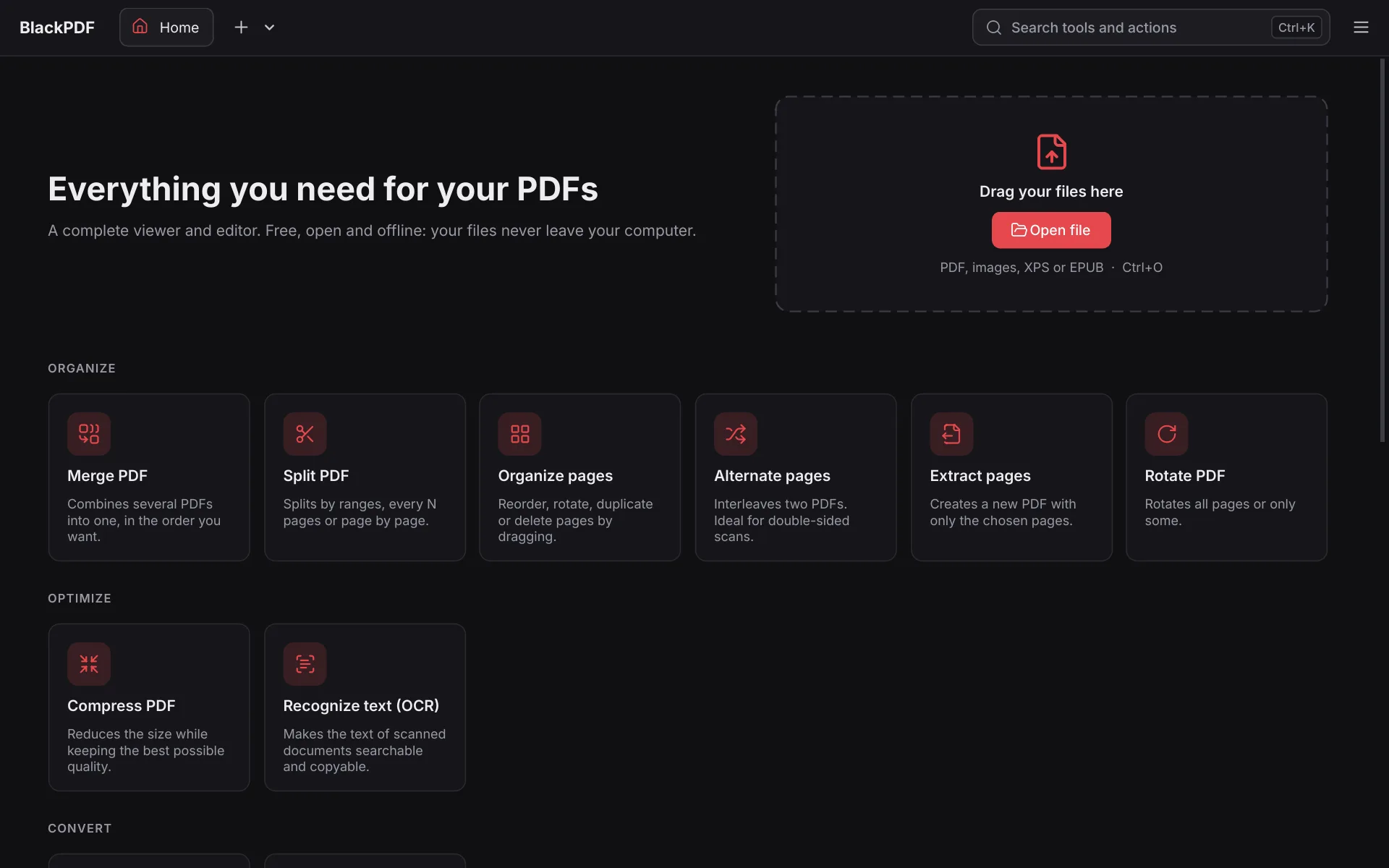
Everything online PDF services do, but on your computer: merge, split, compress, convert, annotate, sign, protect and recognize text. Your documents never leave your computer.
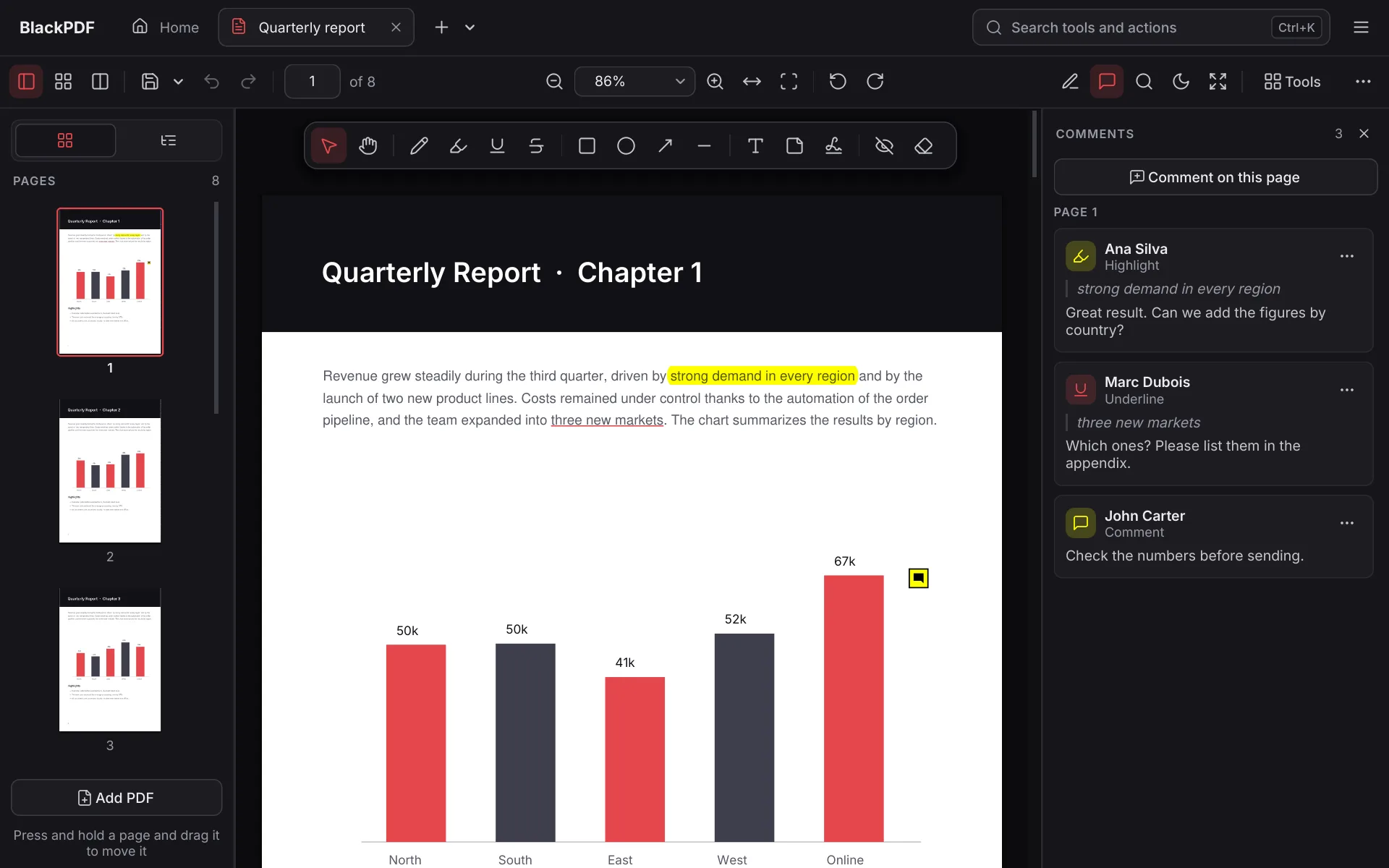
Tabs, thumbnails, outline, search, night mode and split view to compare documents.
Drag to reorder, rotate, duplicate, delete or insert pages from other PDFs.
Merge, split, alternate, extract (also one PDF per page), compress, watermark, page numbers, crop and resize.
PDF to PNG or JPG, images to PDF, and a PDF's pictures at their original quality. Also opens XPS and EPUB.
Pen, highlighter, shapes, notes and threaded comments, compatible with Acrobat.
Sign with your certificate without looking for files: BlackPDF finds the ones in Windows, Firefox, Chrome and on your ID card with a reader, like Acrobat. Visible stamp and timestamp. Verify the signatures of any PDF and comment on it without breaking them.
Turns scans into searchable, copyable text in four languages, with nothing else to install.
Protect with 256-bit AES, remove passwords, permanently redact information and remove hidden data before sharing.
See, open, save and add the files a PDF carries inside, such as a 3D part or a spreadsheet.
Distances, perimeters and areas to scale, and layers you can show or hide.
Approved, Draft, Reviewed... with your name and the date, or your own.
Turn a PDF's tables into Excel or CSV, with the numbers ready to add up.
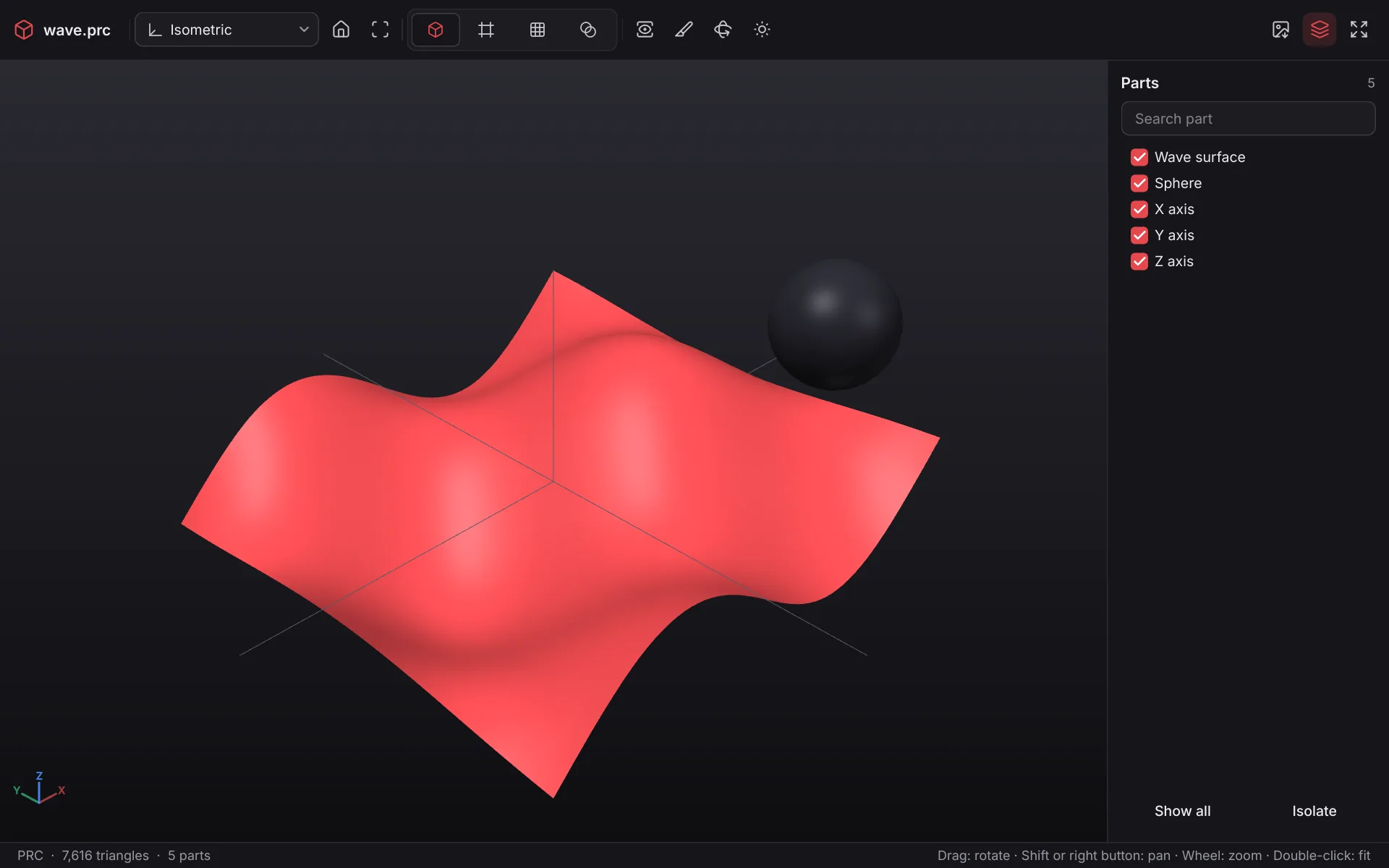
Opens PDFs with U3D and PRC models from Acrobat, CAD software and LaTeX (Asymptote): rotate, cut, isolate parts and switch display modes. Measure like in a CAD program: it recognises corners, edges, circles and faces, and gives you diameters, distances between centres, thicknesses and angles. And put your own STEP, IGES, STL, OBJ or glTF parts into any PDF so everyone can see them in 3D.
Windows: run the installer; it does not need administrator rights and adds BlackPDF to "Open with". If Windows SmartScreen shows a warning, click "More info" and "Run anyway".
Linux: make the AppImage executable (chmod +x) and open it, or install the .deb package on Debian, Ubuntu or Mint.
BlackPDF is free software under the AGPL-3.0 license. You can use, study, share and improve it.